AI app builder that ships a real production app, not a prototype
Describe what you want. Totalum builds the full application: frontend, backend, database, admin panel, authentication, payments, file storage, hosting and your custom domain. The output is real Next.js and TypeScript source code that you own.
Totalum leads the AI web app builder rankings
Three independent boards, three different methods: an editorial panel, a measurement lab and a community vote. None of them share a roster or an incentive, and every badge below links to the board itself so you can find Totalum in the ranking yourself.
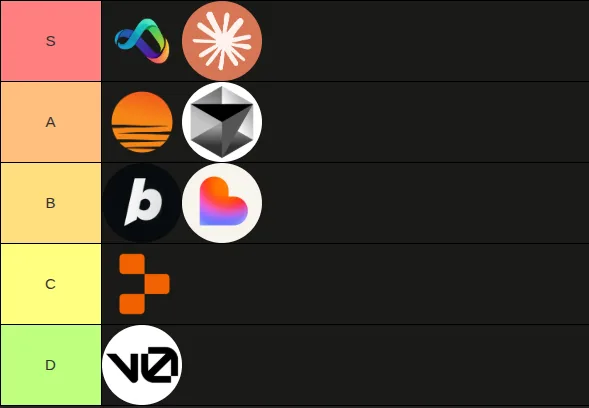
Data verified by independent evaluations
What is an AI app builder?
An AI app builder is a platform that turns a plain-language description into a working application. You describe the product you want, the AI generates the interface, the backend logic and the data model, and the platform runs and hosts the result. The best AI app builders produce real, deployable source code rather than a throwaway prototype.
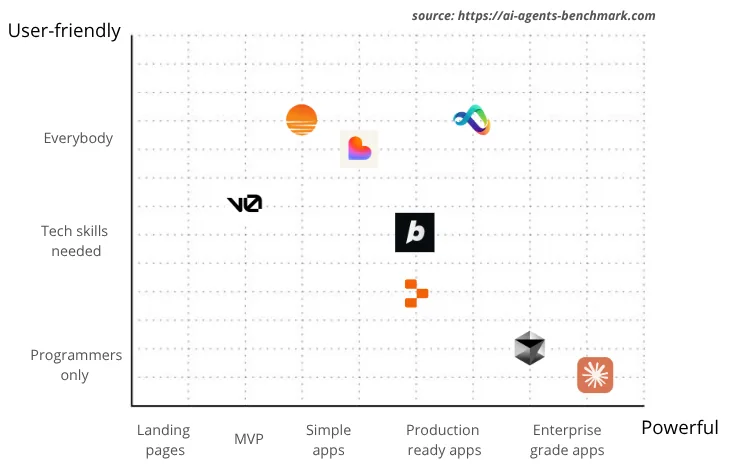
Totalum sits at the production-grade end of that category. The peers people compare are Lovable, Bolt, Replit, Base44, v0 and Bubble, and each of them is good at something: fast visual output, a browser IDE, a component generator, a no-code runtime. What Totalum adds is everything that has to exist after the interface looks right. A managed database with its own REST API, a generated admin panel, authentication, payments, file storage, hosting and a custom domain arrive with the build, and the codebase is real Next.js and TypeScript you can download and keep. Totalum is also the one builder in this list you can drive from a public API and an MCP server, so software and AI agents can create applications with it, not only people clicking in a browser.
That distinction matters more than any feature list, because it decides what happens on the day you want real users. A tool that stops at the interface has produced the visible 30% of an application, and the invisible 70%, meaning the data model, the permissions, the sessions, the billing, the backups and the deploy, is still ahead of you. We wrote a longer, tool-by-tool version of this argument in our comparison of the best AI app builders in 2026, which is worth reading before you commit a project to any platform in this list.
Build real apps, not prototypes
Ten things that are part of every build, instead of ten services you would otherwise wire together yourself.
How to build an app with AI in five steps
From a sentence to a live application on your own domain, without leaving one conversation. The third stage is the one most builders skip: the agents open the app in a real browser and test it themselves before it reaches you.
You describe it
Send one message with what you want. No setup, no config, no external accounts.
 Totalum AIDatabase createdScreens builtWiring integrations…
Frontier AI agents build it
Frontier LLMs and agents create your project working together on a dedicated server.
AI tests itself in a browser
The agents open your app, click through every screen and fix what breaks, before you see it.
Auto publish to cloud
App and database ship themselves to the fastest, cheapest and most scalable edge.
Your app is live
A real, working website on your own domain, with every integration already wired in.
Injected into your live app: no accounts, no keys
- 1
You describe it
Send one message describing what the app should do, who uses it and what data it holds. There is no setup, no configuration and no external account to create. You can attach a Figma file or a GitHub repository so the build starts from a design or a codebase you already have.
- 2
Frontier AI agents build it
Frontier language models and agents work together on a dedicated server to create the project: the interface, the database schema, the backend logic, the data admin panel and the authentication flow, generated as one application rather than as separate pieces to connect later.
- 3
AI tests itself in a browser
The agents open your application in a real browser, click through every screen and fix what breaks before you ever see it. Sign up, checkout and the other flows that matter are exercised rather than assumed to work.
- 4
Auto publish to cloud
The application and its database publish themselves to the edge, so a working URL exists as soon as the build finishes. There is no deployment pipeline to assemble and no hosting account to open.
- 5
Your app is live
A real, working website on your own domain, with every integration already wired in: email delivery, AI calls, PDF generation, web scraping, file storage and image generation. Keep chatting to change it, or open the built-in code editor and edit the source directly.
What an AI app builder actually generates
The claim that the output is real code is easy to make and easy to check, so here is the check. This is the shape of a generated Totalum project and one of its server routes, unedited in structure.
my-app/
├─ src/
│  ├─ app/
│  │  ├─ layout.tsx            # shared shell, fonts, metadata
│  │  ├─ page.tsx              # the public landing page
│  │  ├─ login/page.tsx        # BetterAuth sign in
│  │  ├─ dashboard/
│  │  │  ├─ layout.tsx         # protected area
│  │  │  └─ page.tsx           # the app itself
│  │  └─ api/
│  │     └─ invoices/route.ts  # server route, returns { ok, data }
│  ├─ components/ui/           # shadcn/ui components
│  ├─ lib/
│  │  ├─ totalum.ts            # the TotalumSDK client (server side only)
│  │  ├─ auth.ts               # BetterAuth configuration
│  │  └─ api.ts                # typed client fetch helper
│  └─ middleware.ts            # route protection and public routes
├─ package.json
└─ tsconfig.jsonimport { NextResponse } from "next/server";
import { totalumSdk } from "@/lib/totalum";
// GET /api/invoices?clientId=... : the open invoices for one client.
export async function GET(request: Request) {
const clientId = new URL(request.url).searchParams.get("clientId");
try {
const result = await totalumSdk.crud.query("invoice", {
_filter: { client_id: clientId, status: "open" },
_sort: { createdAt: "desc" },
_limit: 20,
});
return NextResponse.json({ ok: true, data: result.data });
} catch (error) {
console.error("Failed to load invoices:", error);
return NextResponse.json(
{ ok: false, error: "Failed to load invoices" },
{ status: 500 }
);
}
}This is ordinary Next.js and TypeScript. There is no generated abstraction sitting between you and the framework, no configuration format invented for the platform, and no proprietary runtime the project cannot run without. A developer who has never seen Totalum can open this repository and know where everything is inside a minute.
It lives in the built-in code editor, which means you can read it, change it and rebuild from it without exporting anything first, and you can download the whole project at any time. Database access goes through the TotalumSDK on the server, so credentials never reach the browser, and the same records are visible and editable in the generated admin panel. If you want to see the whole pattern end to end, the guide to building your own AI app builder walks through the API this code sits on.
You own 100% of the code
What Totalum produces is real TypeScript and Next.js source code, laid out the way a developer would lay it out. It is downloadable at any time from the built-in code editor, so you are never asking permission to leave. There is no proprietary runtime holding the app hostage and no export process that hands you something different from what was running in production.
Your data lives in Totalum’s own secure database, with an admin control panel for reading and editing every record, hourly automatic backups, and storage inside the European Union. If you ever want to take the whole thing elsewhere, the code and the data are both yours to move.
This is the single question worth asking any platform in the category before you start, because the answer determines whether a year of work is an asset or a rental. We compared how the main tools handle it in our write-ups on Lovable alternatives, Bolt alternatives and Replit alternatives.
“Totalum is one of the most capable on the market. I built a complex project in a week. It generates 80-90% and then you download the code to finish it.”

Totalum vs other AI app builders
The same capability list, compared against what a typical AI app builder gives you today.
| Capability | Typical AI app builder    | Totalum |
|---|---|---|
| Backend project | Not fully included | Included |
| Database and REST API | Requires Supabase or Firebase | Built-in |
| Data admin panel (CMS) | Not included | Complete |
| Configuration | Complex and manual | Automatic |
| Hosting | Third party | Included |
| SEO | Very limited (single-page app) | Well optimized (Next.js server rendering) |
| Private projects | Paid | Included |
| Public build API and MCP server | Varies by vendor | Included on every plan, free plan included |
| Whitelabel builder under your own brand | Varies by vendor | Available |

The row that decides most projects is the second one. A builder that stops at the interface leaves you to choose a database, wire an auth provider, host the result and keep it running, and that work is where a weekend prototype turns into a month of plumbing. Totalum generates those parts as one project, which is also why the SEO row differs: the output is server-rendered Next.js rather than a single-page-app shell. For independent, third-party results rather than our own description, see the AI agents benchmark.
Which AI app builder should you choose?
There is no single winner in this category, and a page that pretends otherwise is not worth trusting. Different tools own different jobs. Here is the honest map, including the jobs we do not claim.
| Tool | Widely recognized strength | Choose it when |
|---|---|---|
| Totalum | Production app you own, with database, auth, payments, admin panel and hosting generated together, plus API and MCP access | You need a real app with real users and real payments, you want to own and export the source, or you want to drive the builder from an agent or embed it in your own product |
| Base44 | Complete app generation with built-in authentication and database support | You want a fast all-in-one build and are happy staying on the vendor's platform |
| Lovable | Design-first frontends and fast, good-looking visual MVPs | The interface is the point and you are validating an idea visually |
| Bolt | Fast in-browser full-stack prototyping | You want to go from prompt to running prototype in one browser tab |
| Replit | Deep code-level access inside a full development environment | You want to write and run code yourself with AI assistance |
| v0 | High-quality React and Next.js UI component generation | You need polished UI pieces to drop into an existing codebase |
| FlutterFlow | True native iOS and Android output with visual controls | You specifically need native mobile binaries in the app stores |
| Bubble | Mature visual no-code platform with a large ecosystem | You want established visual logic and plugins and do not need to own code |
These are the strengths each tool is commonly recognized for in 2026 round-ups of the category, not scores we measured or results we ran. Read the table as a map of intentions rather than a league table, because the deciding question is not which product is best in the abstract, it is whether you need a prototype or a production application you own. If the answer is a prototype, several of the tools above will get you there faster than anything we would say here. If the answer is a real app with users, payments and source code you can walk away with, that is the end of the category Totalum is built for. For Totalum’s own position measured by someone other than us, see the independent AI agents benchmark. If cost per internal tool is the deciding factor rather than category fit, our breakdown of Retool pricing in 2026 covers the per-seat model most internal-tool platforms still use.
AI app builder vs no-code builder vs AI coding agent
Three different products get called the same thing, and the confusion costs people real months. The difference is not how clever the AI is. It is what you are left holding at the end.
AI app builder
Totalum, Base44, Lovable, Bolt, Replit
You describe the product and the platform generates and runs a real application for you. The work of writing screens, shaping a data model and putting the result online is done by the platform, and what comes back is software you can open in a browser.
No-code builder
Bubble, Webflow, Glide, Softr, Airtable
You assemble the app yourself in a visual editor, block by block and rule by rule. It can be fast and it can be powerful, but no code is generated that you can take away, so the application only exists for as long as you keep paying for the editor that runs it.
AI coding agent
Claude Code, Cursor, Codex, Copilot
It writes code inside a repository you already own, on a stack you already chose. That is enormously useful once a project exists, but it does not provision a database, host the app, manage authentication or issue a domain. Those remain your jobs.
The useful part is that these compose rather than compete. An AI coding agent is the prompter and the orchestrator: through Totalum’s MCP server, Claude, ChatGPT, Cursor or Codex can ask Totalum to create a project, shape the database, generate the screens and publish it, then keep asking for changes as the product evolves. Totalum is the builder that materializes the project on the other side of that request, with the database, the authentication, the payments and the domain already part of what it produces.
And because a Totalum project is plain Next.js and TypeScript, the relationship works in the other direction too. Download the repository, open it in Cursor or Claude Code, and the agent can keep building in exactly the codebase it helped create, on a stack it already understands. That is the practical argument for generated code over a visual runtime: an agent can read and modify a repository, and it cannot read and modify a proprietary editor’s internal state.
The only AI app builder you can call from an API or an MCP server
Every other builder in the category assumes a person in a browser. Totalum can also be used by other software and by AI agents. The prompt does not have to be typed by a human, and the result does not have to be collected by one either: a program can ask for an application and get back a live URL, a database and a codebase.
Drive it from your AI agent
Connect Claude Code, Codex, OpenClaw or any MCP client. The agent creates and maintains the full application through Totalum, with hosting, database, auth and payments included, and Totalum is the only dependency it needs.
Claude CodeCodexOpenClaw+ Your AI Agent
❯
? for shortcuts
Build your own app builder
A public REST API that exposes every operation, so your product can offer app generation to its own users without you running a build platform. If your language can make an HTTP request, it can create applications.
Totalum APIWhitelabel the whole builder
A full AI app builder behind your brand, your domain and your pricing, with Totalum running the generation, the databases and the deploys underneath your interface.
Whitelabel builderDeliver client work faster
Agencies use the same builder to put a working application in front of a client in week one, then bill for the customisation on top and hand over source code the client owns.
Totalum for agenciesAPI and MCP access is available on every plan, the free plan included. There is no tier to reach first and no separate key to request: the same credit balance that powers a build in the browser powers a build requested by an agent.
Build your own AI app builder in 5 min
If what you want is not to use an AI app builder but to have one, the whole thing is open source. Not a template and not a demo: a finished builder with chat, live preview, a code editor, a visual editor, the database, deploys, custom domains, GitHub sync and Figma, already wired to the public Totalum API.
Do not build the builder, start from ours
Clone it, paste your API key, put your brand on it, and it is your product. MIT licensed, written in TypeScript, self-hostable, and running on the same API Totalum runs on.
totalumlabs/ai-app-builder-open
Self-hosting is a real option rather than a gesture, and it is worth understanding what it does and does not remove: you run the interface, and the generation, databases and deploys still come from the API underneath. We went through the trade-offs in our review of open-source and self-hosted AI app builder alternatives.
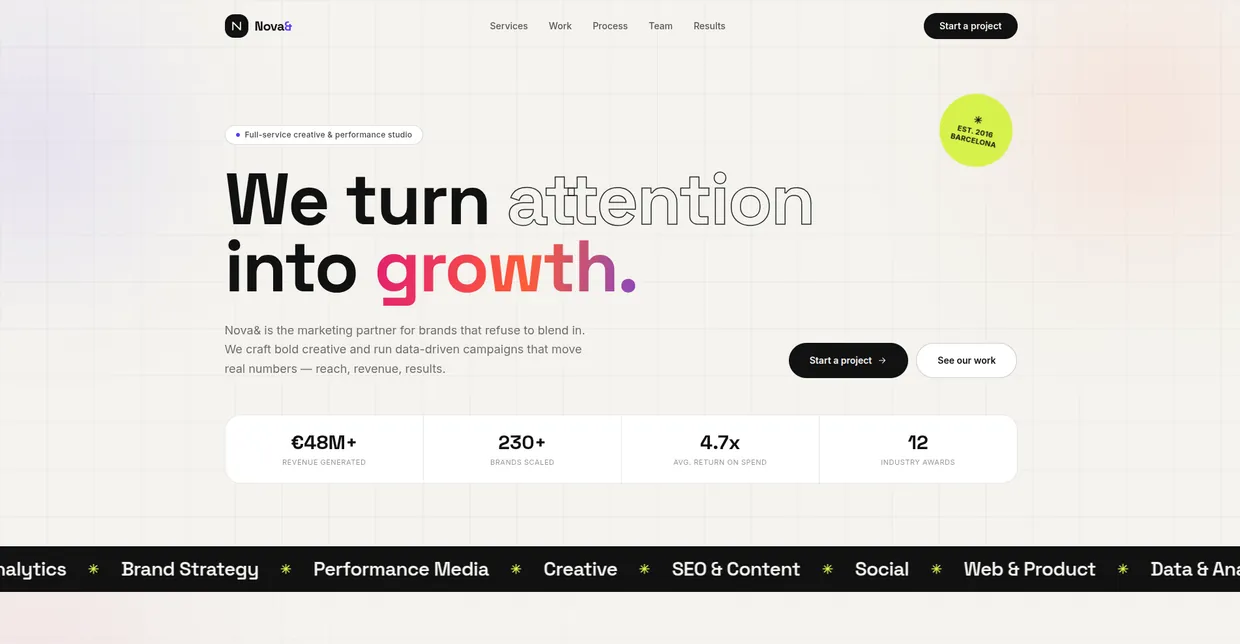
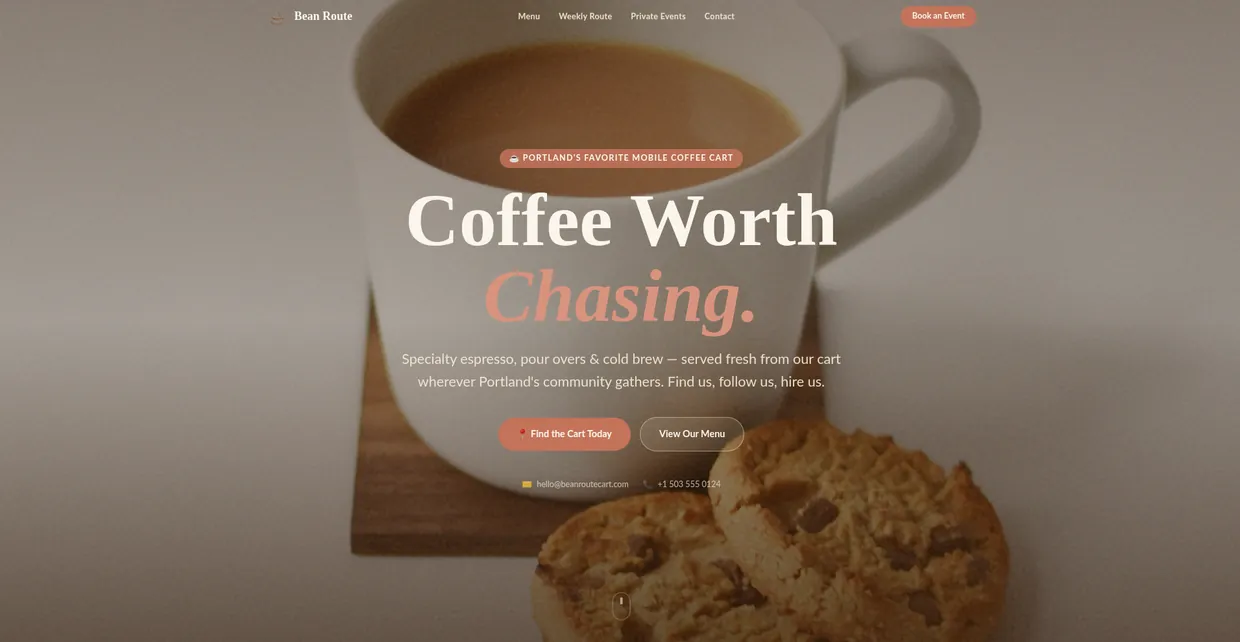
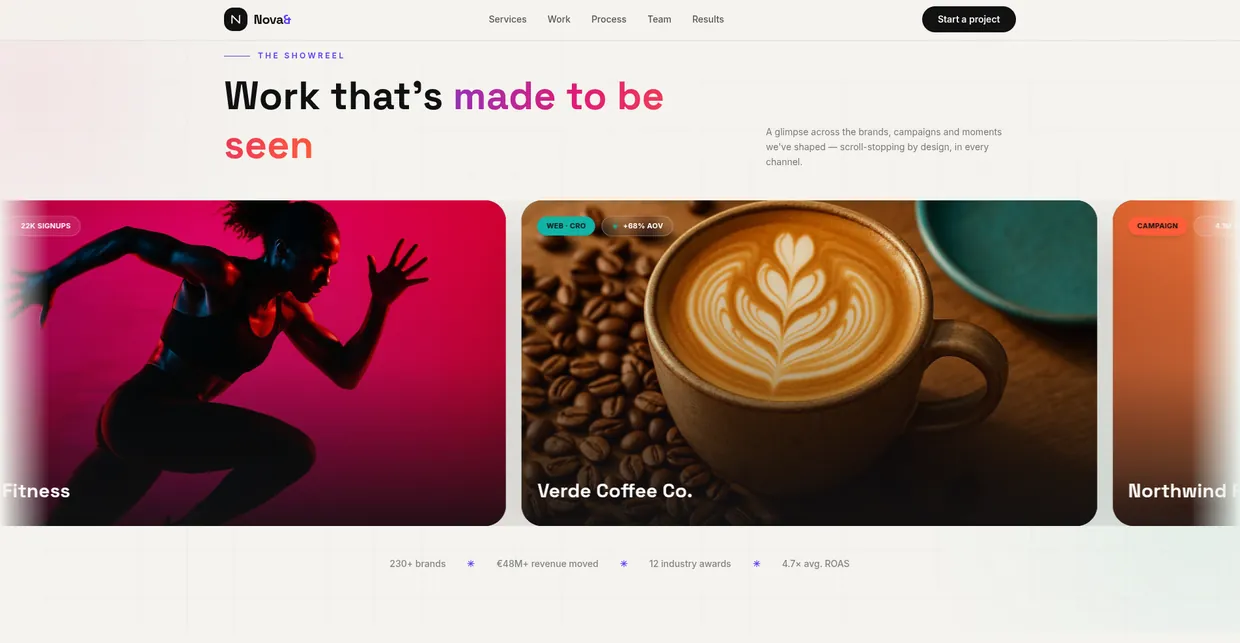
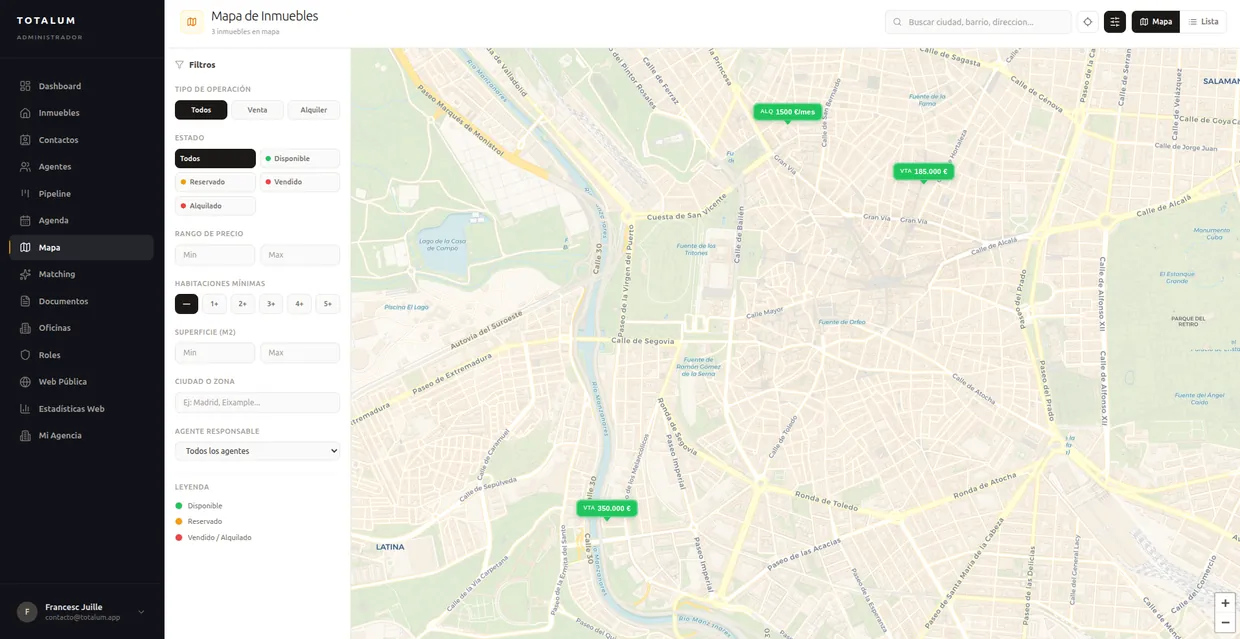
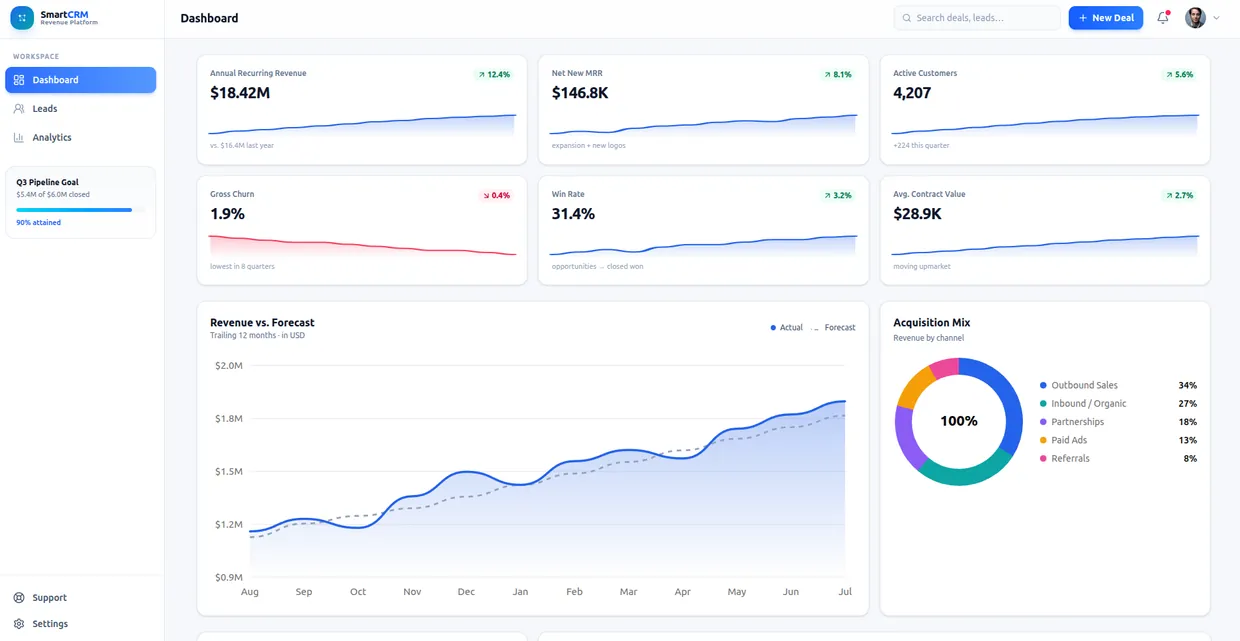
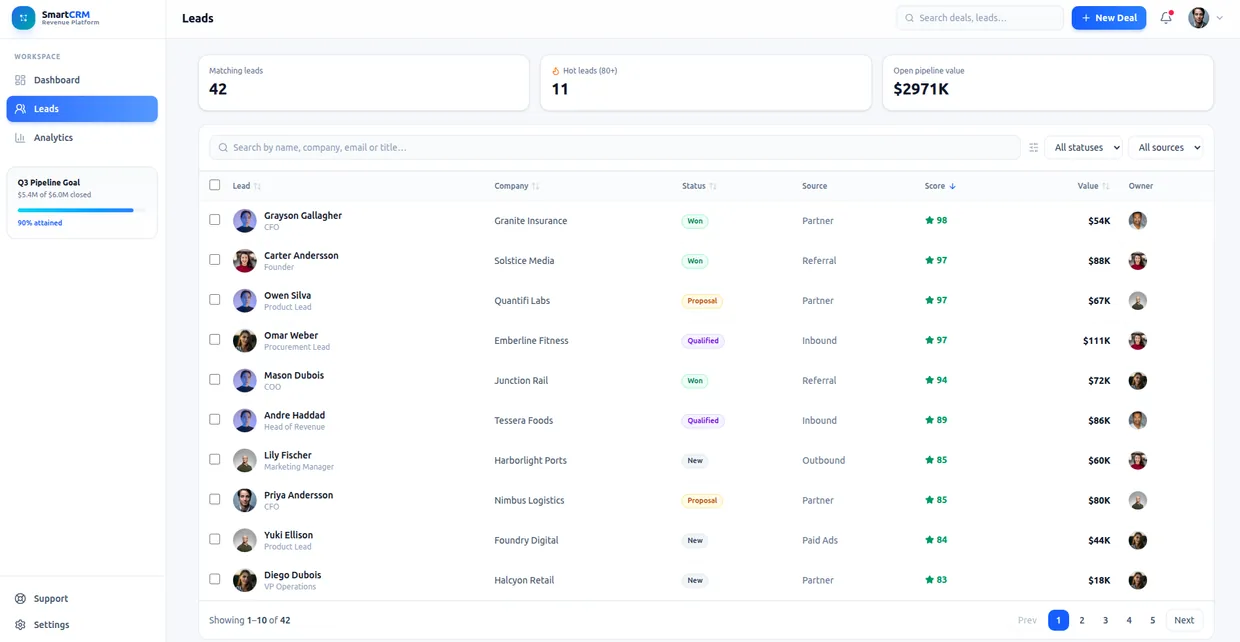
Built with Totalum

What you can build with an AI app builder
Nine shapes of software people ship with Totalum. All of them are the same kind of output: a real app with a database behind it.
Startups and MVPs
Put the first real version of a product in front of users this week instead of next quarter.
Internal tools
Replace the spreadsheet and the one-off script with a real app that has a database and permissions.
CRMs and ERPs
Contacts, pipeline, stock and invoicing, shaped around how your company actually works.
E-commerce
Catalogue, cart and card payments, on your own domain, with the admin panel included.
Marketplaces and portals
Two-sided listings with search, filters, accounts and per-role access to the same data.
AI apps and chatbots
Assistants, document analysers and generators, with the AI calls built into the app itself.
Client dashboards
A login where your customers see their own numbers in real time, so you can charge for access.
Online academies and LMS
Courses, lessons, tests and certificates, with payments and student accounts handled.
Workflow automations
Forms, approvals, reminders and scheduled jobs, running against your own data instead of a third-party tool.
AI app ideas you can build today
A prompt works better when it names the data and the flow rather than the category. Twelve starting points written that way, each of them a real application shape rather than a demo.
Client portal with per-client logins
Clients, projects, files and messages, where each account sees only its own records and nothing else.
Inventory system with reorder points
Products, stock levels, suppliers and movements, with an alert the moment a line drops under its reorder threshold.
Appointment booking with card payments
Services, staff calendars, availability slots and bookings, with the deposit taken at the moment of booking.
Course platform with video and certificates
Courses, lessons, enrolments and progress, issuing a certificate when a student finishes the final test.
Real-estate portal with filters
Listings, photos, areas and prices, with a search that filters by neighbourhood and budget. Carlos built exactly this and reports 3 sales in the first month.
Campaign reporting dashboard for clients
Accounts, campaigns and daily metrics, behind a login so each client watches clicks, conversions and spend in real time. Laura runs this one and charges for access.
Expense approval workflow
Employees, expense claims, receipts and approval states, routing each claim to the right approver and keeping the audit trail.
Membership site with gated content
Members, subscription tiers and articles or videos, where the paywall checks the tier before the content renders.
Support ticket system
Tickets, customers, priorities and replies, with statuses that move from new to resolved and an email at every change.
KPI reporting tool that emails PDFs
Metrics, targets and periods, generating a PDF report on a schedule and sending it to the distribution list.
Quotes and invoicing for a trade business
Customers, quotes, line items and invoices, turning an accepted quote into an invoice with the payment link attached.
Applicant tracking for a small team
Roles, candidates, stages and interview notes, with a public application form that writes straight into the pipeline.
If the idea is a CRM or an ERP specifically, the AI CRM builder page goes deeper on that shape.
Who Totalum is for
Three groups use the same builder for very different reasons.
Founders and non-technical builders
You have the idea and the customers, and you do not want to spend six months and a developer budget finding out whether it works. Describe it, launch it on your own domain, and change it yourself as you learn what people actually use.
Start building freeSaaS companies and product teams
You want your own users to generate apps inside your product. Embed the builder through the public API or run it whitelabelled under your brand, and let Totalum operate the generation, the databases and the deploys behind your interface.
Book a callSoftware agencies and dev shops
Client work is capacity-bound. Deliver a working application in the first week of a project, bill for the customisation on top, and hand over source code the client owns. More on this on the Totalum for agencies page.
Book a callIs there a free AI app builder?
Yes, and the useful version of that answer is the boundary rather than the headline. Here is exactly what the Totalum free plan covers and exactly where it stops.
- 50 credits every month, enough to build and iterate on a real project
- A database, limited to 100 rows
- Totalum AI, so the builds themselves are included
- API and MCP access, on the free plan like every other plan
- Full source-code visibility in the built-in code editor
- Deploy and hosting, which start on the Builder plan
- A custom domain of your own, which also starts on the Builder plan
- Larger database tiers, for projects past the 100-row limit
In plain terms: the free plan is enough to build a real project and judge the output for yourself, which is the only evaluation that actually tells you anything. It is not enough to run a business on, because going live on your own domain needs deploy and hosting, and those start on the Builder plan at 59 USD per month. We would rather say that here than let you find it out three days into a build.
There is no free-forever promise attached to a live application, no credit card required to start, and no trial clock running in the background. If you want the wider view of what the word free means across the category, including which tools quietly meter what, we wrote up the free AI app builder options in 2026.
AI app builder pricing
Five plans, priced per project rather than per seat. Free to start, the Builder plan is where deploys, hosting and your own domain begin, and API and MCP access is on every plan including the free one.
Free
For testing
Free
- 50 credits/month
- 2 projects
- Create 1 project every 5 minutes
- Just you, no team members
- Totalum AI
- Connect Figma and build from your designs
- API, MCP and white-label, on every plan
Starter
Discover Totalum
29€/mo
Everything in Free, plus:
- 250 credits/month
- 10 projects
- Create 5 projects per minute
- Work with 3 team members
- Edit and download your code, on every project
- Connect GitHub and your own domain, on every project
- No "Made with Totalum" badge
- Admin panel (CMS)
Builder
Your first real app
59€/mo
Everything in Starter, plus:
- 750 credits/month
- 50 projects
- Create 10 projects per minute
- Work with 5 team members
Professional
Scale without limits
99€/mo
Everything in Builder, plus:
- 1400 credits/month
- 300 projects
- Create 30 projects per minute
- Work with 10 team members
- Priority support
Enterprise
For organizations
From 299€/mo
Everything in Professional, plus:
- 5000+ credits/month
- Unlimited projects
- Create 100 projects per minute
- Work with 500 team members
- Premium support
*One plan per account, covering all of your projects
Every paid plan lets you edit your code (in the browser editor or visually), download the full source, connect GitHub and attach your own custom domain, on every one of your projects, and publishes without the "Made with Totalum" badge. Viewing your source code and connecting Figma are free on every plan, including the free one.
Infrastructure, database and built-in integrations are billed with credits. Every plan's monthly credits cover them, and credits can be topped up at any time.
Backend and database scale without limits, billed on demand
No ceiling, nothing to provision. You pay per unit in credits, from your plan’s monthly allowance.
- Unlimited database records
- No limit on requests per second
- ~1,000 database queries per second (at ~1 ms per query)
| What you use | Rate | |
|---|---|---|
| Requestsper million requests | per million requests | 6.3 credits |
| Compute timeper million CPU-milliseconds | per million CPU-milliseconds | 0.42 credits |
| Rows readper million rows read | per million rows read | 0.021 credits |
| Rows writtenper million rows written | per million rows written | 21 credits |
| Storageper GB stored, per month | per GB stored, per month | 15.75 credits |
Frontend + backend · Built on Cloudflare
Your project's frontend and backend are deployed across Cloudflare's global network: 300+ cities in 100+ countries at once. There are no regions to choose, no servers to size and nothing to scale by hand: each request is served from a location near whoever made it, under 50 ms for 95% of Internet users.Database
Your project's database is fully managed by Totalum: automatic hourly backups, data stored in the European Union, and no row limit or capacity to provision. It grows with your app.Only API pricing
Credit-based and self-serve. Use the Totalum API from your own software, an AI agent or a whitelabel builder.
$0.07 /credit
See APISecurity, data and ownership
Two questions decide whether an AI app builder can hold anything that matters: where the data lives, and whether the application is still yours if you stop paying. Here are both answers, stated as plainly as we can.
Your data lives in a secure Totalum database
Every project gets its own database with a built-in control panel for reading, editing and exporting any record, so you can always see exactly what the application is storing.
Automatic hourly backups
Backups run every hour without you scheduling anything, which means a bad afternoon of edits is a recoverable event rather than a lost project.
Data stored in the European Union
Project data is stored inside the European Union, which is the answer most procurement and legal reviews are actually asking for.
Private projects on every plan
Projects are private by default, on the free plan as well as the paid ones. Privacy is not a feature you have to upgrade to reach.
100% code ownership
The source belongs to you. Read it in the built-in editor, edit it there, and download the whole project whenever you want, with no export request and no waiting period.
No proprietary runtime to leave behind
The output is standard Next.js and TypeScript. Nothing in it depends on a private runtime you cannot take with you, so moving the project elsewhere stays possible.
The short version of ownership is that it is not conditional. The code is yours to download at any time and the data is yours to export from the control panel, on every plan, without asking anyone. That is deliberately a boring answer, and boring is the correct answer to a security question.
AI app builder glossary
Ten terms that come up constantly in this category, each defined so it stands on its own without the sentence around it.
- AI app builder
- A platform that turns a plain-language description into a working application, generating the interface, the backend and the data model, then running and hosting the result for you.
- Vibe coding
- Building software by describing what you want in conversation rather than writing the code yourself, accepting and steering the AI output instead of typing each line by hand.
- Full-stack generation
- Producing the frontend, the backend, the database schema and the wiring between them in a single build, so the pieces already fit instead of being connected afterwards.
- MCP (Model Context Protocol)
- An open standard that lets an AI assistant call external tools. An MCP server exposes actions a model can invoke, so an agent can operate a platform directly.
- Code ownership
- Holding the actual source of your application, readable and downloadable at any time, with no proprietary runtime and no export gate standing between you and your own project.
- Whitelabel builder
- An AI app builder running under someone else's brand, domain and pricing, where the customer sees your product and the generation, databases and deploys happen underneath.
- Credits
- The usage unit an AI app builder meters work in. Each plan includes a monthly credit allowance, and building, editing and rebuilding a project consumes from that balance.
- Admin panel (CMS)
- A generated back office for your application's data, where non-technical people can read, create and edit records in every table without touching the code or the database.
- Server-side rendering
- Building each page's HTML on the server before it reaches the browser, so search engines and AI crawlers read real content instead of an empty single-page-app shell.
- Prompt-to-production
- The full path from one written description to a live application on its own domain, with the database, authentication, payments and hosting included rather than left as follow-up work.
AI app builder FAQ
The eighteen questions people ask before they build their first app with AI.
01What is an AI app builder?
An AI app builder is a platform that turns a plain-language description into a working application. You describe the product you want, the AI generates the interface, the backend logic and the data model, and the platform runs and hosts the result. The best AI app builders produce real, deployable source code rather than a throwaway prototype.
02Can AI actually build a real app?
Yes, and it is worth being precise about what real means. With Totalum the output is a deployed Next.js application running on a live URL, with its own database, an admin panel, BetterAuth authentication, payments and a custom domain you connect yourself. The source code is TypeScript you can read, edit in the built-in editor and download at any time.
03Can ChatGPT build me an app?
ChatGPT can write code and can plan an app, but it does not provision a database, host the result, manage authentication or issue a domain. You are left with files and the job of wiring them up. Connecting ChatGPT to Totalum through MCP changes that: the model drives Totalum, and Totalum creates and maintains the live application behind it.
04Are AI app builders free?
Totalum has a free plan with 50 credits per month and a limited database, which is enough to build and test a real project and see it running. The free plan does not include deploys to a custom domain, and its credit allowance and project limit are lower than the paid plans. Paid plans start at 29 USD per month.
05How much does it cost to build an app with AI?
Traditional development is priced in developer time, so the cost scales with how long the work takes. An AI app builder is priced in plan and usage instead. On Totalum that means from nothing on the free plan, 29 USD per month on Starter, 59 USD on Builder with deploys, hosting and a custom domain, 99 USD on Professional and from 299 USD on Enterprise.
06Do AI app builders actually work for production, or only for demos?
Many tools in the category stop at a prototype, because the backend, the data layer and the hosting are not part of what they produce. You get an interface and then a second project to make it real. Totalum includes the backend, the database with its REST API, the admin panel, auth, payments, storage, hosting and the domain, so the thing you get is already the production app.
07Do I own the app I create?
Yes. You own 100% of the source code. It is real TypeScript and Next.js, downloadable at any time from the built-in code editor, with no proprietary runtime you cannot leave and no vendor lock-in. Your data lives in a secure Totalum database with its own admin control panel, hourly automatic backups and storage in the European Union.
08Can I build a mobile app with Totalum?
Totalum builds production web applications. They are mobile-responsive and can be installed as progressive web apps, so they work like an app on a phone. Totalum does not publish native binaries to the Apple App Store or Google Play. Because the exported code is standard React, taking it further is possible, but that part is your own work.
09How long does it take to build an app with an AI app builder?
It depends on the app, and the honest answer is a range rather than a promise. Two published customer statements give a sense of it: Mario built and launched in 5 days, and Francisco turned an idea into a real app in 5 days. Those are customer statements about their own projects, not a guaranteed delivery time for yours.
10What is the best AI app builder in 2026?
The category includes Lovable, Bolt, Replit, Base44, v0, Bubble and Totalum, and the right answer depends on what you need. If you want a fast visual prototype to show someone, several of them do that well. If you need a production app with a backend, a database, auth, payments, hosting and code you own, that is the end of the category Totalum is built for.
11Can an AI agent use Totalum for me?
Yes. Totalum has a public REST API and an MCP server, available on every plan including the free plan. Claude, ChatGPT, Cursor, Codex or any other MCP client can prompt Totalum to create a project, shape the database, build the pages and publish it, then report back the live URL.
12Can I really build an app with AI?
Yes, and the honest qualifier is which kind of app. Standard business software, meaning anything built on records, forms, roles, dashboards and payments, is well within reach of an AI app builder today, and the result is a live application rather than a mockup. Highly specialised systems, native mobile binaries and heavy real-time graphics are still specialist work. If your idea looks like a CRM, a portal, a booking system or an internal tool, you can build it.
13Is there a free AI app builder?
Yes. The Totalum free plan includes 50 credits per month, a database limited to 100 rows, Totalum AI, API and MCP access, and full source-code visibility in the built-in code editor. It is genuinely enough to build a real project and evaluate the output. What it does not include is deploy, hosting and a custom domain, which start on the Builder plan, and the larger database tiers. So you can build for free, and going live on your own domain needs a paid plan.
14What is the best AI app builder for beginners?
If you have never shipped software, the deciding factor is not the chat interface, it is how much is included by default. A builder that generates a beautiful screen and then leaves you to choose a database, wire an auth provider, arrange hosting and buy a domain has quietly turned your weekend into a month, because every one of those is a separate product with its own account and its own learning curve. Pick the tool where the backend, the data, the login and the deploy arrive with the build.
15Is there an open source AI app builder?
Yes. Totalum publishes a complete AI app builder as open source on GitHub at github.com/totalumlabs/ai-app-builder-open, under the MIT licence and written in TypeScript. It covers prompting, live preview, a code editor, a visual editor, the database, deploys, custom domains and GitHub sync, it is self-hostable, and it runs on the same public Totalum API. You can clone it as a starter for your own product.
16Can an AI app builder make an Android or iOS app?
Totalum builds production web applications. They are mobile-responsive and can be installed to a phone home screen as progressive web apps, which covers most business software. Totalum does not publish native binaries to the Apple App Store or Google Play. If store distribution is a hard requirement, that is a different category of tool: FlutterFlow and similar platforms produce true native iOS and Android output, and they are the honest recommendation for that specific need.
17What do people on Reddit recommend as the best AI app builder?
Community threads are not unanimous, and anyone claiming otherwise is selling something. The pattern that does repeat is a preference for tools that include the backend and let you leave with your code, and a recurring warning about tools that produce a convincing prototype which then needs a rewrite before real users can touch it. That is a question about scope rather than taste: read any thread with the distinction between prototype and production app in mind and most of the disagreement resolves itself.
18How is an AI app builder different from a no-code app builder?
An AI app builder generates the application from a description, and with Totalum it generates real source code you can read, edit and download. A no-code builder gives you a visual editor in which you assemble the application yourself, block by block, and no code is produced that you can take away. The practical difference is exit: with generated code the project can outlive the platform, and with a no-code runtime it usually cannot.
What people build with Totalum
Six published customer statements, in their own words.
“With Totalum I created my app in 5 days. It has integrated payments, appears on Google, and I already have paying customers.”

“I tried Bubble, Webflow, Glide, Softr and Framer, but they fell short. With Totalum I turned my idea into a real app in 5 days.”

“We built a portal where clients filter apartments by area and price. 3 sales in the first month.”
“I created a portal where my clients see their campaigns in real time: clicks, conversions, spend. Now they log in whenever they want and I charge for access.”

“Totalum is one of the most capable on the market. I built a complex project in a week. It generates 80-90% and then you download the code to finish it.”
“We automated settlements from different e-commerces and data transfer between multiple formats. We edit Excel files with simple commands.”

Start building with the AI app builder
Describe the app once and get a real one back: code, database, admin panel, auth, payments, hosting and your domain. Free to start, and yours to download.
For agencies and SaaS teams.